What if your WordPress site could chat back, respond instantly, and be ready 24×7? That’s what AI chatbots are for! These clever sidekicks, powered by artificial intelligence, handle questions, engage visitors, and even boost sales like a pro.
So, What’s the best chatbot for WordPress websites?
Depends on your site’s needs, really. Small businesses often need simplicity, startups demand agility, and enterprises need unshakable reliability. However, Hive Support steals the spotlight for them all. Whether you’re running an online store, an info hub, or a creative corner, your audience interactions will be flawless.
There are other options like WPBot, Tidio, Crisp, etc, each serving different purposes and needs. Today, let’s check the top 7 AI chatbots for WordPress, share insights, and help you find the one that fits like it was made for you.
Table of Contents
AI Chatbot Plugins for WordPress: Comparison
| Feature | Hive Support | Tidio | Hyve Lite | Smartsupp | WPBot | Crisp | ChatBot Pro |
| AI-Powered Chatbot | ✔️ | ✔️ | ❌ | ✔️ | ✔️ | ✔️ | ✔️ |
| Enriched Customer Profiles | ✔️ | ❌ | ❌ | ❌ | ❌ | ✔️ | ❌ |
| Multi-channel Communication | ✔️ | ✔️ | ✔️ | ✔️ | ✔️ | ✔️ | ✔️ |
| Customizable AI Training | ✔️ | ❌ | ❌ | ❌ | ❌ | ❌ | ✔️ |
| Lead Generation | ✔️ | ✔️ | ✔️ | ❌ | ✔️ | ✔️ | ✔️ |
| Visitor Tracking (See what they type) | ✔️ | ❌ | ❌ | ❌ | ❌ | ✔️ | ❌ |
| Customizable Chat Flow | ✔️ | ❌ | ❌ | ❌ | ✔️ | ✔️ | ✔️ |
| Support Ticket Creation | ✔️ | ❌ | ❌ | ✔️ | ❌ | ✔️ | ✔️ |
7 Best AI Chatbot for WordPress (Tried and Tested)
1. Hive Support: Best Overall

Hive Support is the best AI chatbot plugin for WordPress in this list. It brings ChatGPT’s AI, offering smooth interaction every time. Your business will never sleep after this. You will have an AI virtual assistant that learns, adapts, and helps customers in real-time.
Here are some features why we call it the best:
Features of Hive Support
AI Chatbot Engine
Running 24×7, this chatbot can respond to any number of customer questions, constantly improving with every exchange. No downtime, no breaks. The AI adapts and ensures answers are precise, responses are relevant, and the flow never halts.
Ticket Tracking & Customization
Turns out, the tickets don’t just pile up, they’re neatly organized. Custom ticket fields provide space to gather exactly the details you need. Thus, the experience for both your agents and customers is always top-notch.
Live Chat Flexibility
You can turn on live chat or just turn it off. It’s up to you. Whether you want real-time support or prefer AI automation, Hive Support offers both. The chat box can be adjusted to match your site’s design, letting the conversation flow in style.
Multiple Platforms, One Hub
Hive Support connects to popular platforms like Slack, WhatsApp, Telegram, and Discord, consolidating conversations in a unified space. It can be your social media or email, everything’s accessible from one dashboard.
Performance Insights
Hive Support offers real-time agent performance reports, which help you track response times, ticket progress, and overall customer satisfaction. You can finally stay ahead of issues with predictive customer insights.
Pros
- Handles queries round-the-clock, freeing up your time
- Switches seamlessly from AI to live chat when needed
- Manage conversations across multiple messaging platforms
- Real-time performance data
- Lead generation feature that converts
- Works for businesses of all sizes
Cons
- Full access to the AI-driven features requires a premium plan
2. Tidio: Best For Simplicity

Tidio’s simple setup transforms how you interact with your visitors, turning each moment into an opportunity. Packed with live chat, chatbots, and AI (Lyro), this tool is built to flow with ease.
Features of Tidio Chatbot
Unified Messaging Hub
From live chat to email and even Messenger, Tidio’s central dashboard brings all your customer conversations into one space. You don’t have to toggle through different apps anymore.
Chatbot Templates That Work
Need a lead generator? Or maybe a cart recovery bot? Tidio’s pre-built templates have you covered. Customizable and ready to deploy with zero complexity.
Smoother WooCommerce Integration
With WooCommerce built-in, you can chat directly about products, share product cards, and answer questions. All within the chat.
Instant Setup (30 Seconds)
With Tidio, no training is needed. With WordPress integration in under 30 seconds, you can dive into offering better customer service almost instantly.
Pros
- Set up takes no time, and everything is easy to use.
- Email, Messenger, or live chat, everything is in one place.
- Manage everything from your phone, too.
- Simple interface, with drag and drop.
Cons
- Tidio has a SaaS pricing model (monthly & yearly), and the plans are expensive too.
3. Hyve Lite: Best for Lightweight Customer Support

Hyve Lite is another great chatbot for WordPress sites, but it is super lightweight. It spins the content into conversations that pull users in, all with minimal effort from you. No need for coding, just plug it in. Answers are pulled from your site’s own knowledge base, and the answers are adaptive as well.
Features of Hyve Lite
Visitors are Instantly Welcomed
Hyve Lite hits every visitor with a custom greeting, not just a boring “Hello” here. Every greeting conversation feels fresh, friendly, and alive.
Adaption AI Brain Powered By OpenAI
The AI responses come in sharp, and relevant. One moment, it’s analyzing the latest blog post, the next, it’s answering questions like it knows your exact path.
Tracks All FAQs Efficiently
Hyve Lite can track what people are curious about. It doesn’t just answer, it learns. Collecting questions like little breadcrumbs, it’s smart enough to refine its answers over time.
Safety Filters Are Always Active
The chatbot keeps the data clean, blocking out unwanted noise. No inappropriate comments, no spam, just smooth sailing.
Pros
- Just a few clicks, and you’re done. It’s that simple.
- AI answers are natural and highly relevant.
- Keeps visitors around, making sure they don’t bounce off too soon.
- You can get started without an upfront cost.
Cons
- Not much analytics function is available. Plus, you will need an OpenAI key.
- The pricing model of the premium version is confusing.
4. Smartsupp: Best For Live Chat
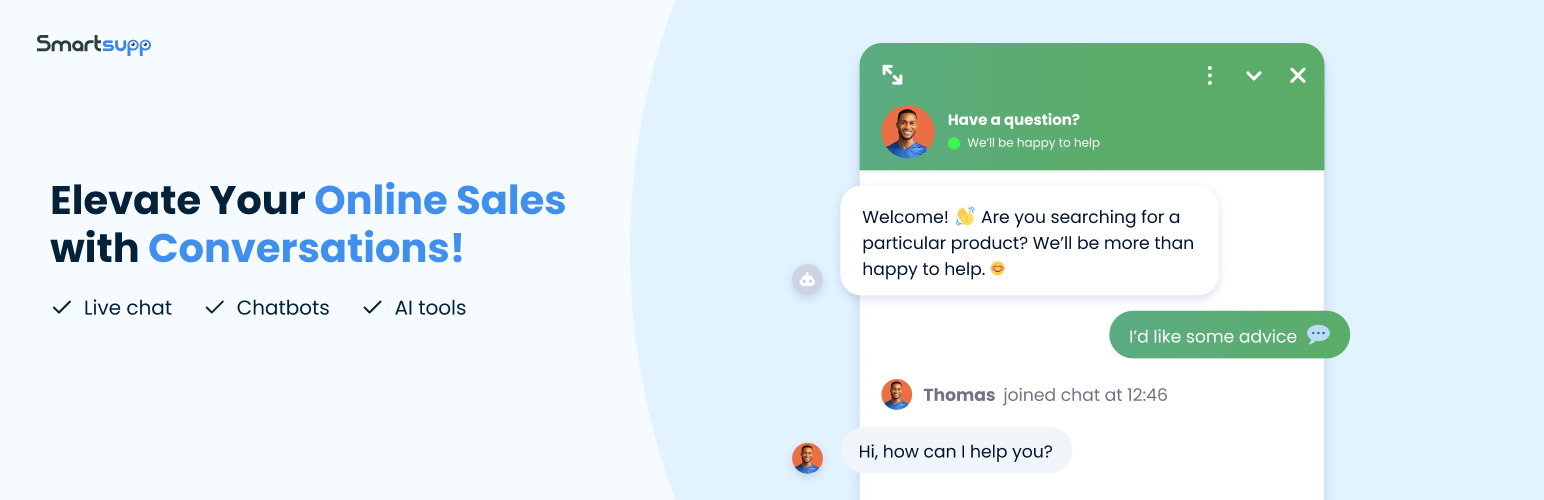
With its unique ability to incorporate video messages into live chat, Smartsupp allows you to add a human touch to digital interactions. Customers connect visually, trust builds faster, and conversions accelerate.
Features of Smartsupp For WordPress
Simplified Real-Time Conversations
Whether it’s a quick walkthrough of a product feature, a personalized greeting, or a detailed troubleshooting session, Smartsupp makes online interactions as if they were in person.
Multiply Channel Communication
You can funnel conversations from email, Messenger, and live chat into a unified dashboard. Now, add video and AI to the mix, and your customer service team will get a whole lot better.
Deep Data Insights, Always Accessible
Smartsupp provides live data about your site visitors, where they’re from, what they’re browsing, and how long they’ve been on your site. Use this data to anticipate needs, offer timely support, or craft personalized upselling opportunities.
GDPR-Compliant Data Storage
Fully compliant with GDPR regulations, so you can focus on service without worrying about legal risks. All customer data is stored securely within your system.
Pros
- Ensures uninterrupted customer assistance
- Boosts satisfaction and trust for customers
- Aids in growth strategies that work
- Smooth and swift WordPress integration
Cons
- For real-time interactions, connectivity issues can sometimes disrupt the user experience.
5. WPBot: Best For Adaptive Automation
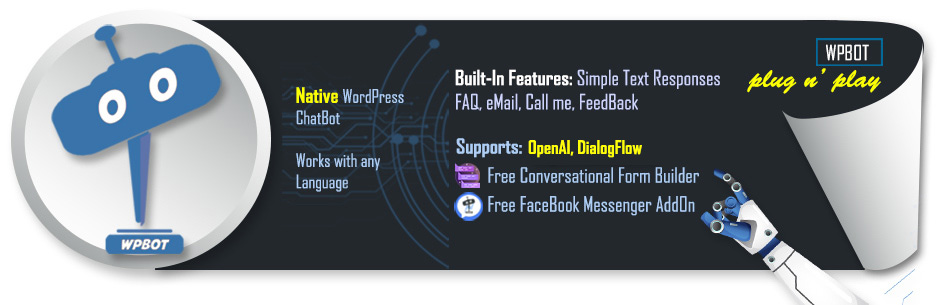
WPBot is a classic on our list. Throughout the years, it has been growing and adapting. So, you can expect more than a static conversation from it. From providing 24×7 support to generating leads through conversational forms, WPBot is always a great option.
Features of WPBot For WordPress
Multilingual Flexibility
You don’t need a third-party plugin to get things done for your international clients. The plugin adapts to the user’s language, whether it’s English, Spanish, French, or even Semitic languages. Each interaction feels local, no matter where your users are coming from.
AI Integration with OpenAI & DialogFlow
Powered by the latest AI technologies like OpenAI’s ChatGPT and DialogFlow, WPBot delivers precise, human-like responses. It is kind of like a conversational partner with real-time updates.
Lead Generation and Forms
Having a built-in conversational form, WPBot gathers leads, schedules appointments, and even collects contact details.
Smart Automation
Your responses can now adjust to any context of the visitor, learn, and evolve in every chat.
Pros
- It keeps your visitors satisfied even when you are sleeping
- Intuitive and user-friendly interface
- Literally grows with your business
- Captures leads and collects valuable user data
- No coding is needed to operate or install
Cons
- The performance occasionally dropped. We guess it’s due to the OpenAI API limitations or downtime. And there is a learning curve to it.
6. Crisp: Best Multichannel Support

While using Crisp, one minute you’re chatting, the next, it’s an AI chatbot solving problems for you. You will get instant notifications, mobile apps, lead capture, and real-time engagement combine seamlessly to give you control of customer interactions. The best part is, Crisp never stops working.
Features of Crisp Chatbot for WordPress
Multichannel Integration for Easy Usage
Crisp channels the signals from every direction, whether from Messenger, WhatsApp, or even Slack. All your scattered dialogues transform into a unified stream of communication.
Instant Notifications Even on The Phone
The moment a conversation sparks, Crisp notifies you. You will also be notified on your phone, so no late actions.
AI Chatbot Builder
The bot adapts, learns, and functions around the clock without a break. You can build conversations without coding. A few clicks and your bot is on the job, answering questions, collecting leads, and handling it all.
Lead Capture and Engagement
Crisp quietly collects emails, numbers, and insights, and it arranges them. The more your visitors talk, the more Crisp learns for your benefit.
Pros
- The free version offers unlimited chats, no limits, and no expected tolls
- No hidden layers of complexity
- Connects with almost all social apps
- Easily customizable for everyone
- Learns on every chat and notification
Cons
- While the basics are covered, the lead capture and live chat isn’t too good
7. ChatBot Pro: Best for Lead Generation
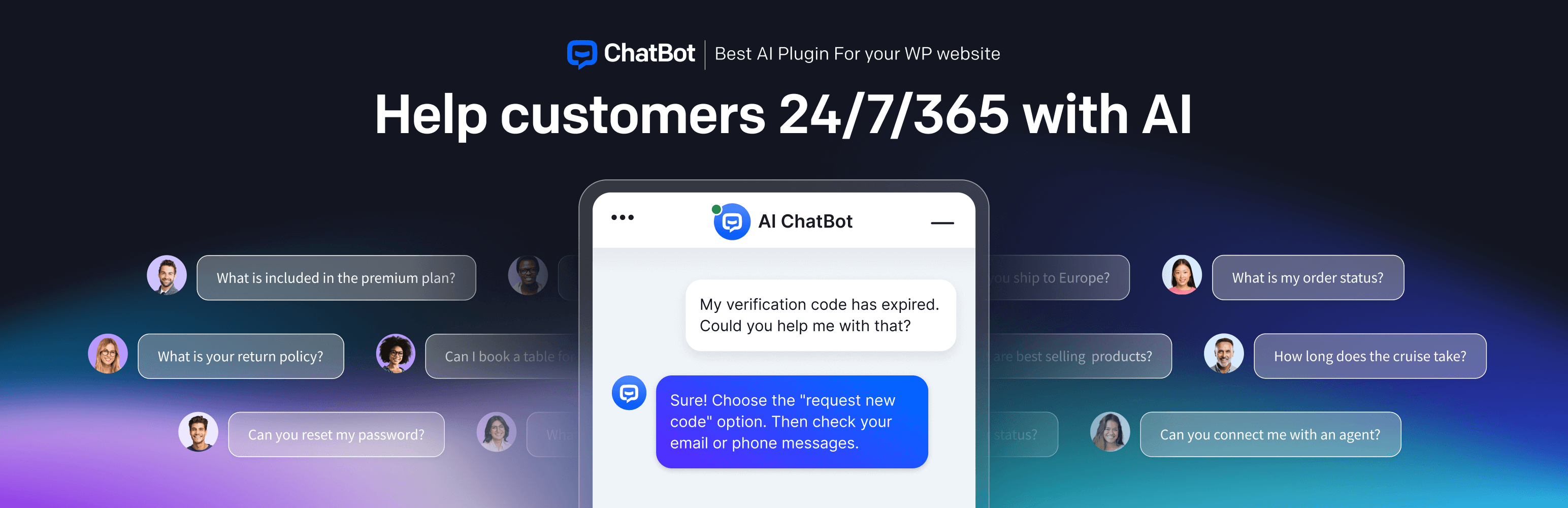
Though Hive Support is the best for lead gen, ChatBot Pro isn’t far behind. It combines conversational intelligence with lead-generation capabilities together. It does have ChatGPT and DialogFlow APIs, which automatically guide users, answer questions, and collect leads.
Features of ChatBot Pro
Conversational Forms for Lead Generation
The plugin collects leads interactively, engaging users in a back-and-forth, and guiding visitors through the process.
Seamless Live Chat Handover
When things get complicated, ChatBot Pro knows when it’s time to hand over the reins. It smoothly transitions from bot to live agent, and ensures there are no gaps in communication.
Multilingual Adaptation
Whether you’re talking to someone in French, Spanish, or something more exotic, ChatBot Pro speaks their language.
WooCommerce Integration
For WooCommerce, ChatBot just doesn’t talk about orders, it suggests products, answers queries about stock, and guides customers through their shopping journey.
Pros
- Makes lead generation feel like a conversation
- The AI improves with time
- Round-the-clock usage
- Fits almost all major businesses
Cons
- Not for small businesses needing to hit their first client
How to Choose the Right AI Chatbot for Your WordPress Website
Choosing the perfect chatbot may take you more than one try. It’s never simple. Remember, creating an unspoken connection is key here. But hey, if you want the best of the best, Hive Support is just what you need.
Now, if you don’t want to trust us, here’s a picking guide you can choose to get your AI chatbot for WordPress:
Proper Training According to Your Needs
The chatbot should feel like more than just some generically stacked words. It should know the unasked questions and connect people to exactly what they require without effort. It’s all about enriching the experience.
Everything Should Be Seamless (for You And Your Visitors)
Your chatbot plugin should blend into the customer, not force its way in. Plus, it must seamlessly connect with your WordPress, CRM, or WooCommerce. Good responses make the visitor journey smoother, and more ready to convert.
Intent of The Visitors
For AI, every conversation is a chance to learn, adapt, and evolve. What if the chatbot could grasp not just the words but the intent behind them? The chatbot should grow with each interaction, getting smarter and more intuitive along the way.
Multilingual Support But Local (For International Support)
Doesn’t matter if it’s through words or cultural context, your chatbot must converse in the tone of your audience, not just translate. The chatbot should never sound out of place, no matter where your visitors come from. Remember, global presence means local fluency.
Proper Analytics and Reporting
Your chatbot should have eyes everywhere your visitors come in. Every conversation is data and a chance to understand what’s working. Keep this reporting feature as your second top priority.
Setting up Hive Support on Your WordPress Site for Free!
To set up Hive Support at no cost, just drop Hive Support into your WordPress dashboard, and activate it. Now, tweak the free tools like ticket management and email notifications.
Need more info? Go to our Hive Support Installation guide for WordPress and lock in the steps one by one.
Frequently Asked Questions
What are the benefits of AI chatbots?
AI chatbots work nonstop, giving lightning-fast responses around the clock. They handle the small stuff, freeing up humans for bigger tasks. Over time, they get smarter and learn from interactions with your customers.
How to add a chatbot in WordPress?
You can add an AI ChatBot to your WordPress by picking a plugin, maybe Hive Support, or something similar. Install, activate, and link it to an AI service. Tinker with the settings, style it how you like, and let it do its responding to users.
How to use OpenAI API in WordPress?
OpenAI’s API can be used on WordPress via plugins like WP OpenAI or through code. Grab the API key, connect it, and you’re good to go. But if you want an AI chatbot, get Hive Support. It frees you from the stress of setting up everything from scratch.
Does WordPress have a chatbot?
WordPress doesn’t come with an in-built chatbot, but you can still install one. Plugins such as Hive Support let you drop a chatbot into your site. You can automate responses and offer real-time conversations to users without actively working.
Can you use AI on WordPress?
Absolutely. Use Hive Support for your AI chatbot/assistant for customer replies, ticketing systems, and even engagement report collection. Content creation, user interaction, or automation, the plugin can boost conversions for your business.
Conclusion
For us, selecting the optimal AI chatbot for WordPress isn’t just a matter of functionality. It’s about tapping into a constantly shifting landscape of customer interaction. From a coffee shop’s website to a booming online store, the right AI bot can turn randomness into opportunity.
Hive Support offers all that and more. It doesn’t just blend in, it flexes and adapts, leaving no customer report unchecked. Whether it’s an e-commerce store, a SaaS company, or a simple blog site, this AI chatbot finds new paths for growth for you.
You get key insights that evolve just as quickly as your business does. Every time, it’s a little different but always effective.