What if all your customer/user touchpoints lived in one place? Email sequences would fire off at the perfect moment, audiences would break into segments easily, and interactions would stay on your radar without you lifting a finger. That’s the magic of a CRM!
What would a tool like CRM that amplifies marketing, strengthens customer loyalty, and adds precision to decisions mean for your business? It’s not a question of if; it’s how soon you can start using one.
So, what’s the best WordPress CRM plugin for customer management? The answer depends on your goals, but our top 7 picks are here to help. Let’s uncover the right one for you!
What Is the Best CRM for WordPress?
The best CRM for WordPress depends on your business needs. Some plugins focus on email marketing automation, while others help manage customer relationships and sales pipelines directly inside WordPress.
Popular WordPress CRM plugins include FluentCRM, Jetpack CRM, WP ERP, and Groundhogg because they provide contact management, marketing automation, and WooCommerce integrations.
Table of Contents
Why WordPress Needs a CRM System
Well, it’s more than just convenience. It’s about connecting with your customers in the best way possible. Plus, no stressing out on your part.
A CRM plugin takes customer data and then stores, organizes, and hands them back when you need it. It plugs into WordPress, centralizing contacts, preferences, and purchase histories for quick access. Communication automation becomes second nature to your website. Emails are sent on their own. Follow-ups, promotions, updates, etc. are all scheduled so that your business stays top of mind without lifting a finger.
Instead of guessing where you are in the sales cycle, you will see exactly where your leads stand. It’s a great way to help you make more innovative moves.
WordPress alone is powerful. But with the right CRM plugin, your site becomes a finely tuned engine—ready to scale, adapt, and, above all, grow!
Quick Comparison of WordPress CRM Plugins
Finding a good WordPress CRM system isn’t always easy. A good WordPress customer relationship management setup is different for everyone. Here’s a comparison table between the best ones here:
| CRM Name | Best for | Free Version | Key Features |
| FluentCRM | Email marketing automation | Yes | Marketing automation |
| MailMint | Email marketing automation for WordPress & WooCommerce | Yes | Email campaigns and automation |
| Groundhogg | Marketing funnels | Yes | Campaign automation |
| WP-CRM System | Customer data management | Yes | Contact database |
| Jetpack CRM | Simple CRM | Yes | Lightweight CRM |
| WP ERP | Business management | Yes | CRM + HR |
| HubSpot CRM | Marketing, sales, and contact management | Yes | CRM + forms, live chat, and email marketing |
Top WordPress CRM Plugins for 2026
1. FluentCRM – Best For Effortless Email Campaigns

Key Features Of Fluent CRM
- Self-hosted email marketing & CRM
- Email campaigns (unlimited emails & contacts)
- Visual automation builder
- Contact segmentation (lists, tags)
- Detailed campaign analytics (open rate, click rate)
- GDPR compliance for higher security
- Built-in option forms
- Marketing funnel builder
FluentCRM simplifies email campaigns like never before, turning complex tasks into simple clickable actions. It works within WordPress, plus, it keeps everything organized.
Users can group contacts based on shared traits or unique details, creating a clear path for sending resonated messages.
This system ensures messages stand out. With tools to shape emails beautifully and options to time them perfectly, you’ll find clear insights into how your emails perform, from opens to clicks.
It’s built for flexibility, whether handling a handful of contacts or thousands. Connections to WooCommerce, form plugins, and more extend its reach, making it even more powerful for creating email campaigns.
Drawbacks
- Some users reported slow site performance due to the significant database growth as it approached as large as 950 MB.
If you run a WooCommerce store with many products, tools like WP Guidant can also help guide customers to the right products through interactive recommendations.
2. MailMint – Email Marketing Automation For Funnel Hackers

Key Features Of MailMint
- Automate email campaigns and customer journeys directly inside WordPress.
- Build visual automation workflows for lead nurturing and customer engagement.
- Create targeted email broadcasts for subscribers, customers, or segmented audiences.
- Track user activities like purchases, signups, and interactions to trigger automations.
- Manage contacts and audience segments from a centralized dashboard.
- Integrates smoothly with WooCommerce, EDD and other popular WordPress tools.
- Monitor campaign performance with built in analytics and reports.
When it comes to email marketing inside WordPress, MailMint offers a simple yet powerful solution. It works like having a lightweight marketing automation system built right into your website. Instead of juggling multiple SaaS tools, everything runs from your WordPress dashboard.
Need to send newsletters? Easy. Want to automate follow ups or nurture leads? That’s covered too. MailMint lets you create automated email sequences that trigger based on user actions like signing up, purchasing a product, or joining a list.
The platform is especially useful for WooCommerce store owners and small businesses who want to stay connected with their audience without complicated setups. You can segment contacts, send targeted campaigns, and automate customer communication in just a few clicks.
Another big advantage is control. Since MailMint runs inside WordPress, you keep full ownership of your customer data. There is no dependency on external email marketing platforms for basic automation needs.
For creators, store owners, and marketers who prefer keeping their marketing stack inside WordPress, MailMint provides a clean and efficient way to manage email marketing and automation.
Drawbacks
- Advanced automation features and integrations are limited in the free version.
3. Groundhogg– Best For Automated Sales Funnels

Key Feature Of Groundhogg
- Easy-to-use tool for creating customer journeys.
- Automate lead nurturing and sales processes.
- Design emails for automated funnel workflows.
- Target contacts with tags and filters.
- Prioritize leads with premium extensions.
- Automate opt-outs and consent tracking.
- Unlimited contacts, funnels, and emails.
If you’re tired of old-school methods for managing your sales funnels, Groundhog is just what you need. It’s a tool that grabs attention, but the same reach never pops up twice.
This WordPress CRM with an automation powerhouse does things its own way. The best part is that it’s made for anyone, not just the tech-savvy.
It adapts as you grow, and there’s no “one-size-fits-all” approach here. With integration into WooCommerce, LearnDash, and many others, it becomes a central hub for automated sales funnels.
You can send personalized emails, track user behavior, and automate the steps that used to take forever. Groundhogg brings order to your marketing without the unnecessary fluff.
What’s really refreshing is that it’s all under your control—your data, your setup, your growth. No unpredictable surprises or extra charges as your list expands. It’s marketing that just works.
Drawbacks
- Lacks native A/B testing for emails or funnels.
4. WP-CRM Best For Managing Customer Data

Key Features Of WP-CRM
- Store and manage customer data directly in WordPress—no third-party apps.
- Track only the data that matters with customizable fields.
- Seamlessly import contacts, campaigns, and opportunities from CSV files.
- Monitor customer interactions, deadlines, and project progress.
- Sync with MailChimp, GravityForms, Slack, and ZenDesk.
- No per-user fees—unlimited records at no extra cost.
WP-CRM will literally surprise you with how effortlessly it handles customer data. It blends into any old WordPress setup, letting you tweak fields to suit any style—contact info, project details, it’s all fair game.
The plugin takes a practical turn, where all your data stays right there, tucked into your site, with no outside tinkering. Integrations? Sure, they’re here. MailChimp, Slack whispers, you name it.
The budgets stay happy, too—there’s no extra price tag for growth. Snappy and on-point, showing deadlines like a checklist’s best friend.
The invoices are also polished and branded and ready to accept Stripe payments. Want to tweak it? Developers can tinker freely, adding personal touches. WP-CRM is compact, powerful, and never overstuffed. It works exactly how you want it to while managing customer data.
Drawbacks
- Customization (e.g., custom fields, reports) may require technical knowledge, making it less beginner-friendly.
5. Jetpack CRM – Best For Simple Customer Solutions
Key Features Of Jetpack CRM
- Easy-to-use tools for seamless customer management.
- Full control of your data on WordPress.
- No monthly fees; optional extensions for added functionality.
- Effortlessly manage leads, customers, and contacts.
- Let clients view quotes, invoices, and files easily.
- Create and send professional invoices/quotes in minutes.
- Sync customer data, transactions, and invoices.
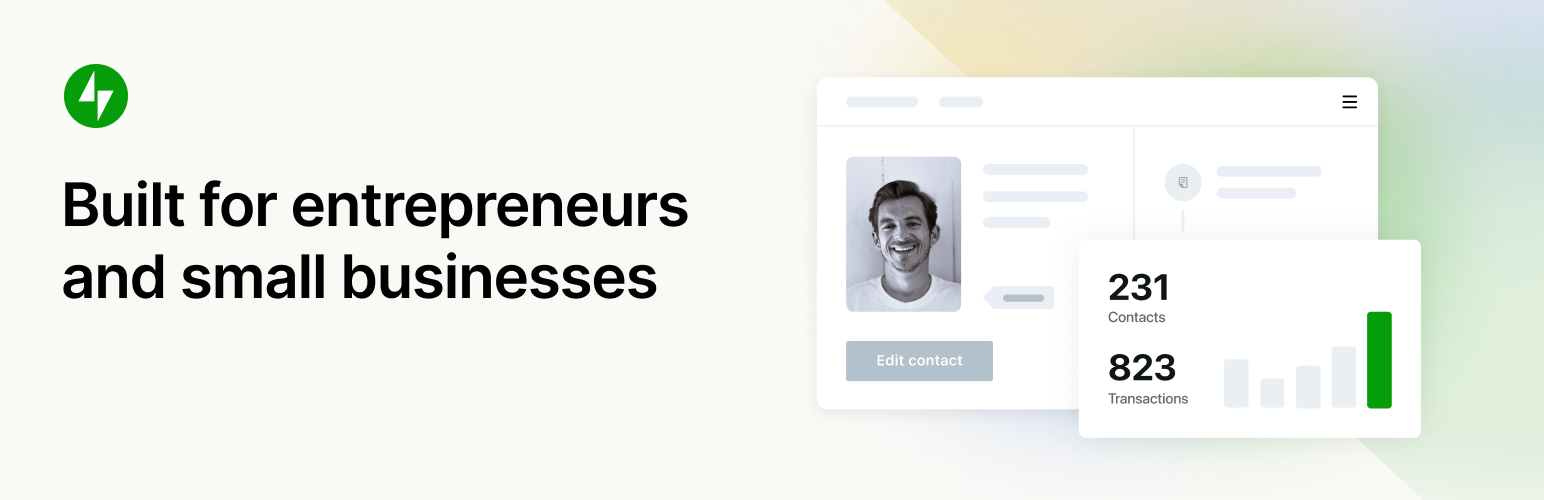
What if you want something that’s easy to use and lets you quickly add contacts, create quotes, and send invoices—all from your WordPress site? Jetpack CRM is a simple and effective tool for managing your customers.
It syncs smoothly with WooCommerce, so if you run a WooCommerce-based online store, your orders, and customer details update automatically.
Jetpack CRM focuses on what you actually need without unnecessary features. It offers optional extensions, like email marketing and payment syncing, to make your work more manageable as your business grows.
Jetpack CRM is perfect for small businesses. It’s fast, reliable, and doesn’t require a lot of setup or learning.
This is an excellent choice if you want a straightforward way to manage customer relationships. Remember, it’s not about giving you everything but exactly what works for your business.
Drawbacks
- Focused solely on CRM, it lacks HR or full accounting features, which some businesses may need.
6. WP ERP – Best For Comprehensive Business Management

Key Features Of WP ERP
- Manage employees, leaves, and attendance, and generate reports.
- Organize contacts, track deals, and schedule meetings.
- Track finances, manage invoices, and generate financial reports.
- Manage HR, CRM, and Accounting in one place.
- Make smarter decisions with real-time insights.
- Add features like payroll, recruitment, or inventory as your business grows.
- Sync with WooCommerce, automate payroll, manage job listings, and more.
WP ERP is an all-in-one solution for managing your business right from your WordPress dashboard. It combines HR, CRM, and Accounting tools, making it easy to handle everything from employee management to customer relations and financial tracking.
With a simple one-click installation, WP ERP helps you streamline business operations. It allows you to manage employee records, track sales, generate invoices, and monitor financial reports too.
Plus, with WooCommerce integration, syncing your store’s data with your accounting is effortless. Doesn’t matter if you’re a small business or a growing team, WP ERP adapts to your needs. It’s flexible, easy to use, and packed with features to improve efficiency and organization.
Say goodbye to a wide range of tools – WP ERP makes managing your business simple and straightforward.
Drawbacks
- Businesses using shared hosting may experience slower performance, especially with large datasets.
7. Hubspot CRM – Best For Scaling Customer Relationships
Key Features Of HubSpot CRM
- 360-degree view of your customers for better relationship management.
- Manage sales pipelines and track prospects.
- Create personalized email campaigns with 20+ templates.
- Automate follow-ups and nurture leads with email tracking and A/B testing.
- Provide 24/7 support and convert leads into customers.
- Add advanced features as your customer base expands.
- Connect with 1,000+ tools (e.g., Salesforce, Mailchimp, Shopify, Zoom) to streamline workflows.
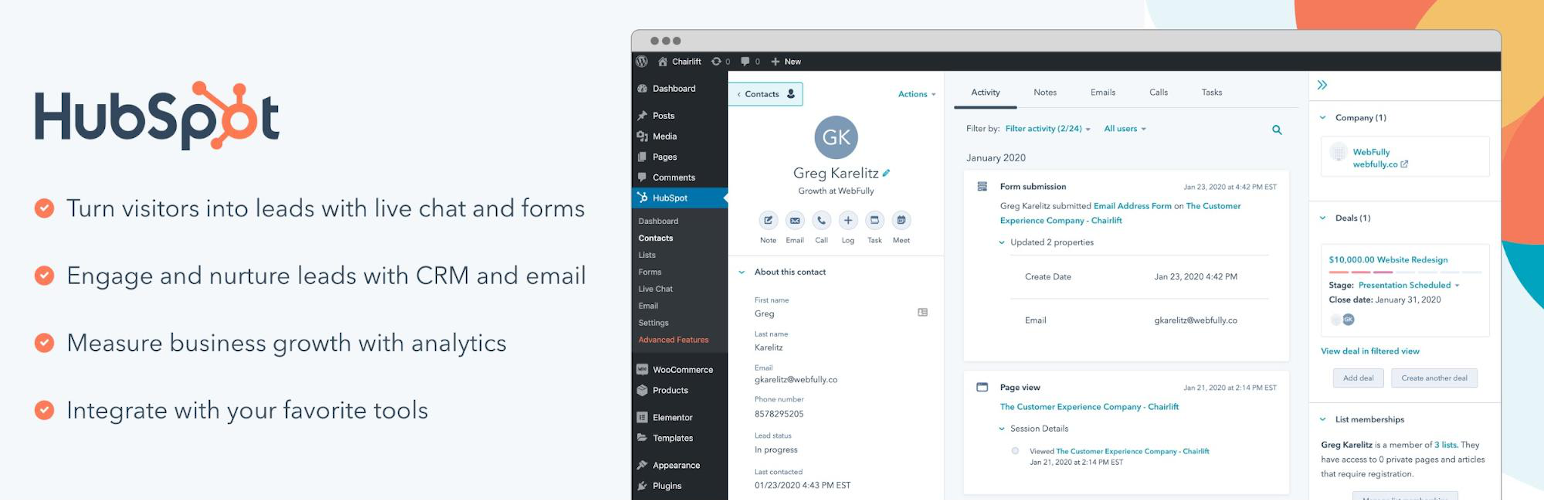
If you want to scale up customer satisfaction on your existing WordPress setup, HubSpot CRM may hit as the best WordPress customer management CRM. It offers effortless adaptivity for all your business tools—tracking leads, automating emails, and engaging with customers in real-time.
Here, each interaction feels highly personal and has key data insights to guide clients. You don’t have to jump between platforms; HubSpot combines everything into one space. It adapts, letting you scale and track every detail while interacting with clients.
You don’t just organize data; you create connections that grow. It’s like a personal assistant, but smarter, helping you understand your audience while making every touchpoint feel more engaging.
HubSpot’s flexibility works at your pace and evolves with your business needs. It’s simple yet capable—an all-in-one tool that takes the guesswork out of customer relationship management.
Drawbacks
- Customizations are needed, as the pre-designed templates (e.g., for emails or forms) may not fully align with all brands.
Find The Best CRM For WordPress: Choosing Guide
When the hunt for the perfect CRM begins, it’s not just about checking boxes. You need to find that one system that clicks with your WordPress setup. There’s no one-size-fits-all solution, but there are key factors that can guide your choice:
Effortless Integration to Pre-existing Setup
Your WordPress site isn’t just a platform; it’s alive with connections. Try picking a CRM that slides into place like it was always meant to be there. Your setup could be WooCommerce for blogs or an outreach author profile. Integrations should feel invisible but essential.
Tools That Shift and Shape
Some CRMs feel rigid. While others evolve with you. Our suggestion is to focus on flexibility:
- Contacts and Leads: Sort, prioritize, grow.
- Sales Tasks: Automate emails, reminders, or updates.
- Marketing Reach: From SEO to email, let the CRM lend a helping hand.
- Support: Look for live chats or quick ticketing setups.
24/7 Availability
Remember, scalability is your invisible growth driver. Watch out for limits, whether it’s users or features. Your CRM needs room to grow, expand, and breathe. Avoid systems that hit a wall once you scale up and your visitor count increases.
Pick The Right Pricing (It’s More Than the Price Tag)
Money matters, but understanding the model does too. Per-user, per-contact, or flat-rate. It’s all about how you expand and which model matches your future. Beware of hidden fees. You don’t want to find out the true cost when it’s too late.
Real-Time Customer Support
Nowadays, a quick reply isn’t always enough. Your CRM should offer real-time support with resources that allow you to sail smoothly through issues. If it’s seamless and helpful, you know it’s right.
Proper Security Feature
Whether it’s GDPR or encryption, a solid CRM should keep your data locked up tighter than a vault. Keep an eye on updates, regular ones, like clockwork. Without this foundation, your CRM is a house built on sand.
Also consider…
When choosing a CRM plugin for WordPress, consider these factors:
- Contact management features
- Email marketing automation
- WooCommerce integration
- Reporting and analytics
- Ease of use and integrations
Open Source Vs. Premium CRM For WordPress
Open-source CRMs for WordPress? Or the premium? Well, open-source offers flexibility and control, while premium CRMs provide ease, support, and integrated features at a cost.
Here are some differences you need to know:
| Aspect | Open-Source CRM | Premium CRM |
| Cost | Free to start, use, or customize | Subscription-based or one-time fee, costs add up over time |
| Customization | Shape it as you wish, total freedom with the code | Options are set |
| Setup Complexity | Requires some tinkering, might need a tech nerd | Simple, plug-and-play, no manual needed |
| Support | Community-driven, unpredictable, and diverse | Direct line to a support team, always on standby |
| Security | Updates depend on the crowd and can be slower | Solid security, the vendor handles updates automatically |
| Features | Base features are free, but extra tools often cost | Packed with everything, no need to shop around |
| Data Ownership | You own it all… your rules, your data | The Plugin owners hold the keys to your setup |
| Ideal For | Tech enthusiasts, businesses with specific needs | Business owners who want quick, reliable solutions |
FAQs About WordPress CRM Systems
What is the best CRM plugin for WordPress?
FluentCRM, Jetpack CRM, Groundhogg, and WP ERP are among the most popular CRM plugins for WordPress because they offer contact management, automation, and WooCommerce integration.
Which CRM works best with WordPress?
WordPress is like a playground; different CRM tools come to life in their own quirky way. Try out HubSpot or WP ERP. Or perhaps Zoho or Jetpack CRM can make an appearance too. It’s always the one that clicks, really.
Can I use a CRM with WooCommerce?
Yes. Many WordPress CRM plugins integrate with WooCommerce to track customer activity, manage contacts, and automate marketing campaigns.
Do small businesses need a CRM for WordPress?
A CRM helps small businesses organize leads, track customer communication, and automate follow-ups directly from their WordPress dashboard.
Conclusion
Choosing the best CRM for WordPress depends on your workflow and business goals. Some CRM plugins focus on email marketing automation, while others prioritize customer data management and WooCommerce integrations.
By selecting the right CRM plugin, WordPress site owners can better manage leads, track customer interactions, and automate marketing campaigns directly from the dashboard.
On the other side, if you’re looking for flexibility and something more ready-made, HubSpot CRM brings a full package with lots of integrations; no need to start from scratch.
Now, Jetpack CRM and WP-CRM—they’re for those who prefer light and breezy, easy to set up, with enough power to keep things moving. However, for the bigger picture, WP ERP steps in by connecting CRM to other parts of your business, such as HR and accounting.
The right fit? It’s the one that feels right at the moment, shifting to match your needs as they evolve. What matters is tuning in to what your business requires, and letting the rest find its own rhythm.