Is your WordPress site getting too many support tickets and customer questions? Every time you solve one issue, more seem to pop up.
Managing multiple systems for support—like email, tickets, and CRM tools—only adds to the confusion and wastes time. Instead, it’s better to use a help desk plugin.
But, which one is the best?
Well, it depends. Just remember, it should help you keep everything organized in one place. And make it easier to manage support, respond faster, and keep your customers.
Today, let’s check some top options, so you can choose the one that fits your needs best. Running a small blog or a full-scale eCommerce store? There’s a WP help desk plugin for all of you below:
Table of Contents
Why Your WordPress Website Needs a Help Desk System
A WordPress site grows through customer engagement. As traffic increases, managing support can become tricky. That’s where the help desk system comes in.
It simplifies things—quickly organizing inquiries and offering speed. On top of that, all queries, from emails to live chats, land in one central hub.
A helpdesk plugin ensures no question gets lost, no matter how busy the site gets.
Everyone can view the same tickets, assign them as needed, and even collaborate in real time. With the right system, as your site’s demand increases, handling requests doesn’t slow down the process.
Reports and insights? They’ll help you refine your approach to customer support, boosting overall efficiency.
In the end, a streamlined system leads to better customer experiences and a support team that works smoothly.
Comparison Table: Best WordPress Help Desk Plugins
Don’t want to go through the entire content? Here’s a comparison table just for you.
| Feature | Hive Support | Heroic Inbox | SupportCandy | JS Help Desk | WSDesk | Fluent Support | Awesome Support |
| AI-Powered Chatbot | ✅ (ChatGPT, 24/7) | ❌ | ❌ | ❌ | ❌ | ❌ | ❌ |
| Live Chat | ✅ | ✅ | ✅ | ❌ | ✅ | ✅ | ✅ |
| Ticket Management (Unlimited) | ✅ | ✅ | ✅ | ✅ | ✅ | ✅ | ✅ |
| Multi-Channel Support | ✅ (Slack, WhatsApp, etc.) | ✅ (Email) | ❌ | ❌ | ✅ (WooCommerce, CRM) | ✅ (Multi-Channel) | ❌ |
| Reporting & Insights | ✅ (Agent Performance, Reports) | ✅ (Basic) | ✅ (Basic) | ❌ | ✅ (Advanced) | ✅ (In-depth Reporting) | ✅ (Basic Reports) |
| Knowledge Base | ✅ (Integrates with Articles) | ❌ | ❌ | ❌ | ✅ (Integrated) | ❌ | ✅ (Requires Setup) |
| Integrations (WooCommerce, CRM, etc.) | ✅ (Slack, WooCommerce, CRM) | ✅ (Basic Email) | ❌ | ❌ | ✅ (WooCommerce, EDD) | ✅ (CRM, E-Commerce) | ❌ |
| Security Features | ✅ (Privacy-Focused) | ❌ | ❌ | ❌ | ✅ (Basic Security) | ❌ | ✅ (Requires Setup) |
| Ease of Use | ✅ (User-Friendly, Minimal Setup) | ✅ (Easy Setup) | ✅ (Simple UI) | ❌ (Outdated UI) | ❌ (Advanced Learning Curve) | ❌ (Can be complex for teams) | ✅ (No Learning Curve) |
Top WordPress Help Desk Plugins for 2025
1. Best Overall: Hive Support (Tested and Tried)

Some tools solve problems. Others prevent them from existing ones. However, Hive Support does them all. It blends AI-powered automation, real-time engagement, and structured organization into a single, streamlined package.
Whether answering tickets, chatting live, or automating responses, it delivers on every front.
Now, let’s see why Hive Support is the best WordPress help Desk Plugin:
Ticket Management System
With hive support, you can handle unlimited WordPress support tickets with simple tracking, quick assignments, and priority settings. Everything stays organized, so no request gets lost.
AI-Powered Chatbot
Let AI instantly answer customer questions with a ChatGPT-powered chatbot. It automates replies, learns from interactions, and hands off complex issues to agents when needed.
Live Chat Support
Other than the AI chatbot, you can talk to customers in real-time with a customizable live chat widget. Agents can manage multiple chats at once, giving customers fast and direct support.
Automation Triggers
Automation triggers help you set your WP system to take action without you. Assign tickets, send follow-ups, or trigger responses based on specific conditions—all with a few clicks.
Agent Performance Reports
Performance matters and Hive Support tracks it. It doesn’t matter if it’s how fast tickets are closed, or how productive agents are, these detailed reports give you the insight to improve.
Pros
- Sorts, tracks, and shuffles tickets according to your needs.
- The AI chatbot is 24 hours active.
- For high-value customers, you can connect live.
- Highly secure with GDPR
- Fields can match your needs and preferences
Cons
- Some of the features requires the premium version of the plugin
Impressed? It’s a Help Desk, Live Chat, Chatbot, and All-In-One
AI Support Plugin. Try it Now and See for Yourself!
2. Heroic Inbox – Best for Managing Customer Emails

Heroic Inbox is designed to simplify email handling on WordPress. You can manage multiple inboxes from one place, keeping things efficient. It’s ideal for businesses that rely on email as a primary communication channel.
Here are some key features of Heroic Inbox:
Unified Email Management
All inboxes are in one place. You may be managing support, sales, or general inquiries, Heroic Inbox consolidates everything inside WordPress. You don’t need to check multiple accounts—just log in and handle it all.
Team Collaboration Tools
Assign emails, add internal notes, and avoid duplicate replies. Your team stays in sync, ensuring fast and clear communication with customers.
Saved Replies & Automation
Some questions get asked over and over. Automate these types of responses and give customers instant acknowledgment before a team member takes over.
WooCommerce Integration
Heroic Inbox connects with WooCommerce so that your team sees customer orders right next to their emails. Selling online just got a lot easier.
Pros
- All-in-One Email Management
- Assign WP support ticket, add notes, and avoid duplicate replies
- Automatic responses to speed up support
- Directly access customer order details
- Highly affordable and user-friendly
Cons
- Features like email automation, saved replies, and internal collaboration tools, might require a bit of time to fully grasp
3. SupportCandy – Best for Customizable Ticketing

Need the best WordPress helpdesk for purely customizable ticketing? SupportCandy is here. Customers submit requests, agents handle them, and the whole system adapts to how you work, not the other way around.
Here are some features of SupportCandy:
Custom Ticket Forms & Fields
With over 16 field types, each submission can capture the data your support team requires. You can finally create ticket forms that don’t just ask for information but demand the right details.
Flexible Role-Based Access Control
Who sees what? Who can act? Assign permissions like a strategist. This will make sure your tickets land in the right hands without unnecessary exposure.
Workflow Automation
You can set conditions, trigger responses, and let tickets flow through the system. Assign, update, and notify without manual intervention.
Customizable Email Notifications
Keep communication sharp and straightforward. Just automate email alerts with personalized messages so no one misses an important update.
Pros
- Adapts to small teams or large operations effortlessly
- Straightforward yet deep in customization
- No cap on tickets, agents, or categories
- Integrates smoothly with WordPress and external tools
- Privacy-friendly features for compliance
Cons
- You will not get any inbuilt core AI support
4. JS Help Desk – Best for Feature-Rich Free Version

The JS Help Desk is a WP ticket system that doesn’t hold back, even when it’s free. Though not a lot, it delivers a streamlined ticketing experience, balancing flexibility with ease. Businesses, bloggers, and service providers alike can turn their websites into basic customer support hubs.
Let’s look at some features of the JS Help Desk:
Unlimited Tickets & Agents
No restrictions here. You can submit as many tickets as needed, and involve as many agents as necessary. Growth shouldn’t be limited by numbers.
Frontend & Backend Ticket Submission
Users engage from the website’s main interface, while administrators fine-tune operations behind the scenes. Two sides, one seamless system.
Email Notifications & Piping
With the automatic alerts, no one misses a message. Plus, emails can turn into tickets without manual input—support flows naturally.
Custom Fields & Department
You can tweak the ticket form with unique fields, and then sort inquiries into departments for structure.
Pros
- Supports a limitless number of tickets and agents—growth-friendly
- Clean, accessible interface for both users and admins
- Keeps communication tight with automatic updates
Cons
- Reporting functions could be more detailed in the free plan. You may need some third-party integrations here.
5. WSDesk – Best for WooCommerce Integration

WSDesk offers a customer support ticket system designed to seamlessly integrate with WooCommerce. It brings seamless connections between your WooCommerce store and customer service for WordPress, making life simpler for all business owners.
Here are some features of the WSDesk plugin:
Seamless WooCommerce Integration
Every ticket carries order details, embedding transaction history directly into the conversation. You can stop digging through records. WSDesk’s support agents take care of everything.
Automated Ticket Management
In a few clicks, you can set rules, and the system will handle the rest. Tickets reroute, auto-update, and trigger notifications with minimal intervention.
Customizable Ticket Forms
Add fields, tweak layouts, and control inputs to align with the unique needs of your business. Every ticket begins with the right information.
Knowledge Base Integration
Customers can also find answers before they ask. Embed helpful articles within the system, minimizing support load while enhancing user autonomy. The more they learn, the fewer tickets appear.
Pros
- Keeps support teams focused on complex issues rather than FAQs
- Collects only the necessary details
- Predefined rules take over, so it’s faster and better
- Agents get immediate visibility into order details
- Adaptable forms shape the way customers submit queries
Cons
- No multilingual support, and some users have reported problems with email notifications
6. Fluent Support – Best for Speed and Performance
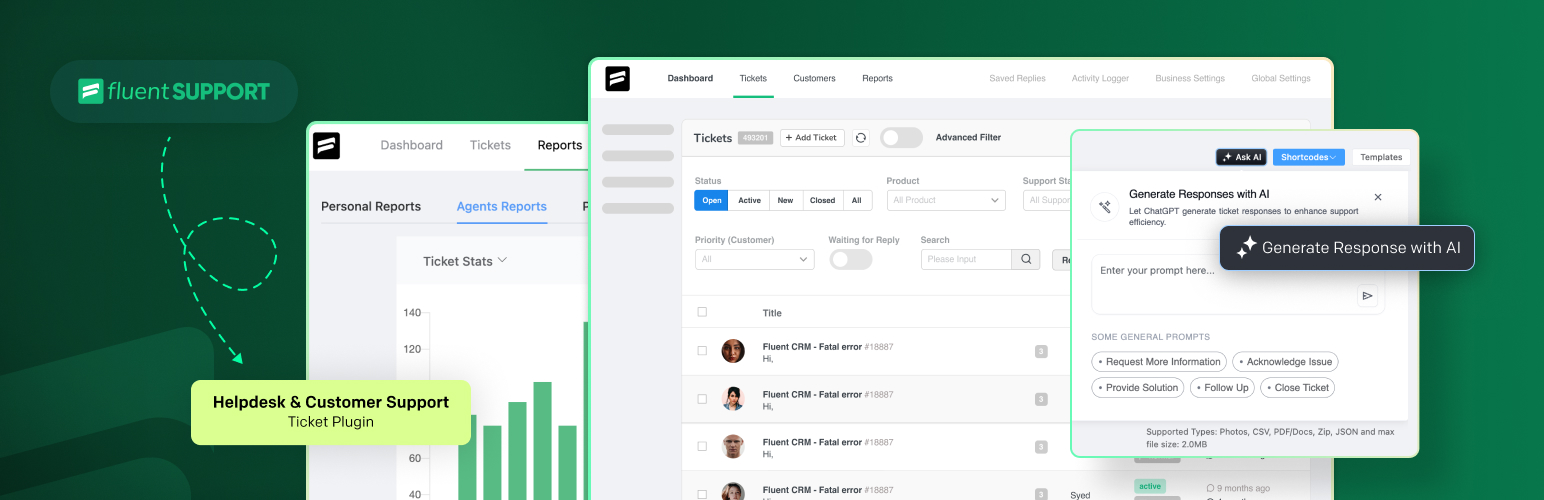
Fluent Support is a fast, self-hosted helpdesk for WordPress. It runs directly on your site, ensuring quick responses, full data control, and smooth ticket handling. Slow servers or extra costs will never hit you.
Here are some features of Fluent Support:
Fast Performance with Optimized Architecture
Fluent Support is built for speed. It uses an optimized database that loads and processes tickets instantly, even with heavy usage.
Smart Automation & Workflow Triggers
You can set custom triggers that handle repetitive tasks for you, keeping your support system organized and efficient. Automate ticket assignments, replies, and status updates to save time.
Email Piping & Instant Notifications
Customers can submit and reply to tickets via email, so they don’t have to log in. Agents get real-time notifications to respond faster, and SMTP support ensures emails are always delivered.
Multi-Platform Integration & CRM Connectivity
Fluent Support connects with WooCommerce, FluentCRM, LearnDash, and more. See customer history, purchases, and subscriptions all in one place.
Pros
- Works with all top WordPress plugins
- Automates repetitive tasks
- Runs on your site, no third-party service is needed
- No lag, even with heavy use
Cons
- Slow server can impact speed. So, getting a faster server is essential.
7. Awesome Support – Best for Multi-Agent Support Teams
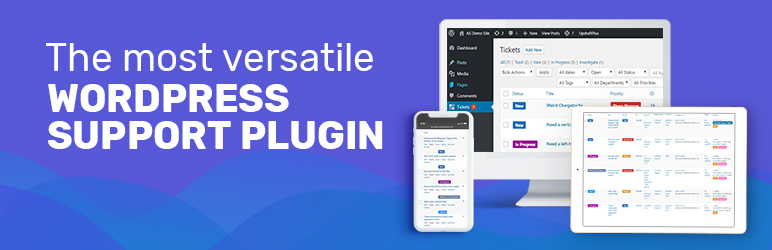
Awesome Support brings multi-agent teams together, making it easy to manage and resolve support tickets. With a simple setup, you can manage tickets and deliver quality support with ease.
Here are some key features of Awesome Support:
Multi-Agent Collaboration
Awesome Support allows multiple agents to work on the same ticket. Agents can assign, transfer, or leave notes on tickets, so your team solves problems faster and stay in sync.
Customizable Ticket Management
Customize everything, from ticket forms to statuses, so it fits your team’s needs. You can change how tickets are managed and track them through different stages.
Email & Notification Automation
Whenever a ticket is updated, assigned, or resolved, both agents and customers get notifications. Stay updated automatically, but no extra load on one person.
Knowledge Base Integration
With a built-in knowledge base, customers can easily find answers on their own. You can reduce the need for support tickets. You can also add helpful guides and FAQs to assist customers with common issues.
Pros
- Multiple agents can work on tickets together
- Easy to set up and navigate
- Adjust forms, statuses, and workflows
- Strong features at a fair price
Cons
- Some users reported slow responses and refund issues. But it was not an issue for everyone
Automating Help Desk System with Hive Support (AI-Powered)
Are your tickets piling up, customers waiting, and your team struggling to keep up? Hive Support changes that by using AI to automate responses, organize tickets, and improve over time.
With faster replies and less manual work, your support system becomes smoother and more efficient.
Let’s go step by step to set it up.
Step 1: Install Hive Support Plugin
- Start by adding the Hive Support plugin to your WordPress site through the Plugins menu (Plugins > Add New).
- After installation, activate it to ensure it’s up and running.
Step 2: Connect Hive Support
- Next, link Hive Support with an API key.
- Once connected, everything will be synced and ready for automation.
Step 3: Configure Automation Rules
- Set your triggers for automation, such as when a new order is placed, a customer submits a request, or an order status changes.
- You can define specific conditions to automatically assign tickets or send replies to customers based on these triggers.
Step 4: Set Up Automated Responses
- Create pre-set responses to handle common queries, like auto-replies when a ticket is created or when a certain event occurs.
- You can also design workflows that automatically escalate urgent issues or prioritize tickets for quicker resolution.
Step 5: Monitor and Optimize
- Keep track of how your automation is performing, reviewing customer feedback and ticket resolution times.
- Remember, adjust the rules, responses, or workflows as needed to keep improving the system.
Choose Between a Free And Premium Help Desk Plugin
If chosen right, a free help desk plugin can cover all your basic needs. To make the right choice, consider key factors like features, ease of use, updates, scalability, and real user feedback. Let’s break it down.
Feature Set & Cost Value
Free plugins offer basic features, while premium options add extra bonuses—custom workflows, improved analytics—that can be really handy. Check if these extra perks make the higher price worthwhile.
Scalability & Future Needs
If your support needs grow, will the plugin keep up? Free versions may work now, but premium ones handle bigger workloads better.
Support, Maintenance, & Updates
Premium plugins usually offer fast support, regular updates, and security fixes. Free ones might not, leaving you to solve problems yourself.
Ease of Use & Customization
Some plugins are easy to use; others require tweaking. Premium versions often let you customize more to fit your needs. Just make sure you or your team members don’t spend too much time working with it.
Integration & Compatibility
Your plugin should connect seamlessly with your CRM, email, and other tools. Premium options usually ensure a tighter, more reliable connection with your existing systems.
Reputation & User Feedback
A plugin with strong, consistent feedback shows that many have had good experiences. So, check the reviews. A plugin with good feedback from many users is a safer bet than one with mixed or few reviews.
Frequently Asked Questions
Can help desk plugins integrate with WooCommerce?
Absolutely. Many connect directly, pulling order data, tracking refunds, and linking customer queries to purchases. Some auto-create tickets when issues arise, reducing manual effort. Others sync product details, streamlining resolutions.
How do I choose between open-source and premium help desk solutions?
Open-source plugins offer flexibility but need technical skills. Premium ones are easier to use and come with support, updates, and extra features. If you want control and customization, go open-source. If you need reliability and quick setup, go premium.
Can I automate responses with a help desk plugin?
Yes, many help desk plugins allow automation. They can send instant replies, suggest help articles, or escalate urgent issues. Some use simple rules, while others use AI to understand customer questions and respond quickly.
Do help desk plugins support multiple agents?
Yes, most help desk plugins let multiple agents work together. You can assign tickets, track progress, and chat in real time. Some offer role-based access and workload balancing to keep things organized.
End Note
This is all for today. To sum things up, the right plugin doesn’t just organize tickets; it changes the way your business interacts with customers.
Fast responses, smoother workflows, and fewer headaches.
Some plugins focus on AI, others on ticketing or email management. Pick what fits your needs best. Simple or advanced, free or premium, there’s an option for everyone.
Some are built for speed, others for flexibility. Some thrive in simplicity, others in deep customization.
What matters is finding the one that matches your workflow, your team, and your customers’ expectations.
Looking for an all-in-one help desk plugin?
Hive Support is the answer.